

Compare
Baseline analysis with Compare
Section titled “Baseline analysis with Compare”The Compare feature enables proactive forensics through baseline analysis, allowing investigators to focus on forensic evidence from the earliest stages of an investigation. Using a patent-pending approach, it identifies and highlights forensic artifacts—added, modified, or deleted—between asset snapshots.
This analysis, completed in just 5 seconds, enhances security by addressing vulnerabilities before they can be exploited, without disrupting ongoing operations. The Compare feature supports both standard and offline acquisitions, providing detailed metadata to help investigators comprehensively understand potential security risks.
Compare analysis is performed directly on the Console, eliminating the need for direct access to assets.
The scope of baseline analysis is strategically based on areas commonly abused by attackers. These include:
| macOS | Linux | Windows |
|---|---|---|
| AutoLoadedProcs | System | System |
| ChromeExtensions | CronJobs | NetworkAdapters |
| DiskEncryptions | DNSResolvers | Hosts |
| ETCHosts | Hosts | AutorunsServices |
| ETCProtocols | IPRoutes | AutorunsRegistry |
| ETCServices | IPTables | AutorunsScheduledTasks |
| GatekeeperApps | KernelModules | AutorunsStartupFolder |
| InstalledApps | Mounts | InstalledApplications |
| KextInfo | NetworkInterfaces | Drivers |
| LaunchdOverrides | SystemArtifacts | FirewallRules |
| SipStatus | Users | |
| SysExtInfo |
How to Use Baseline Analysis with Compare
Section titled “How to Use Baseline Analysis with Compare”-
Select the Asset for analysis.
-
Initiate Compare Task:
- Navigate to ‘Compare’ under Asset Actions.
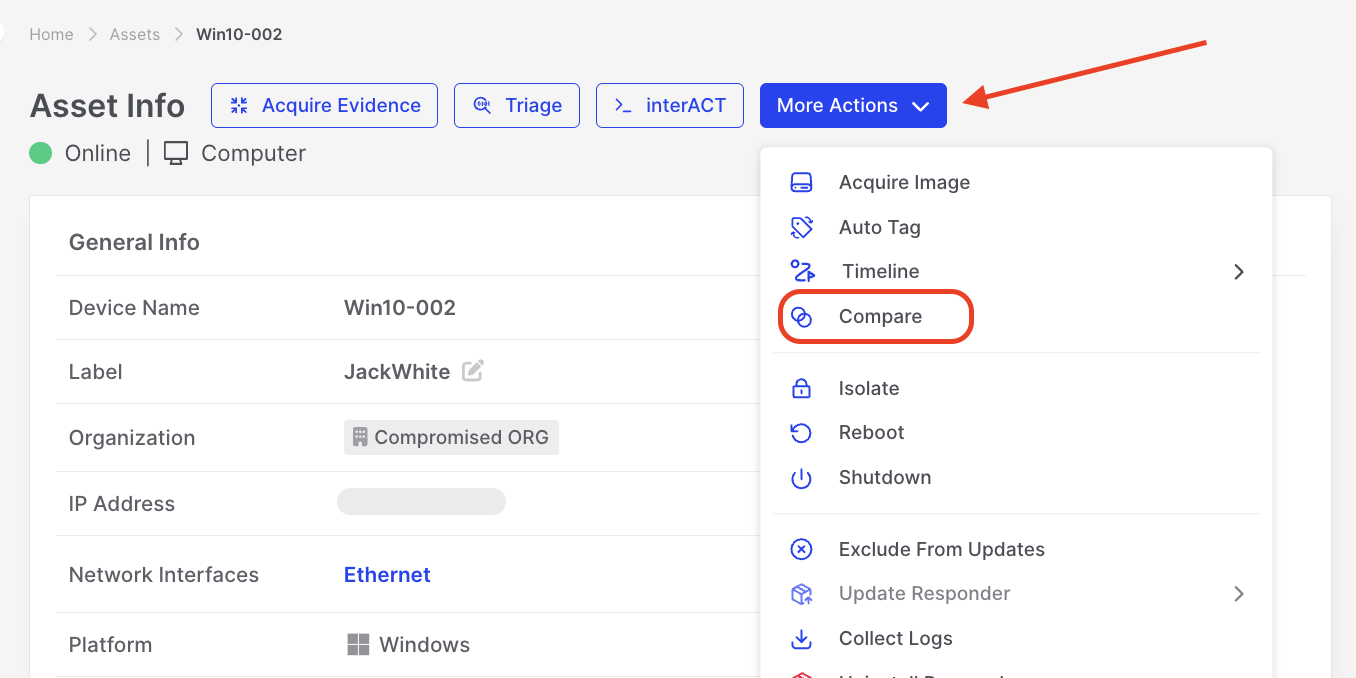
Compare: Initiating Compare Analysis under Asset Actions
-
Specify the Acquisitions to Compare
- Specify two acquisitions to compare or create a new baseline by clicking “Acquire Baseline”.
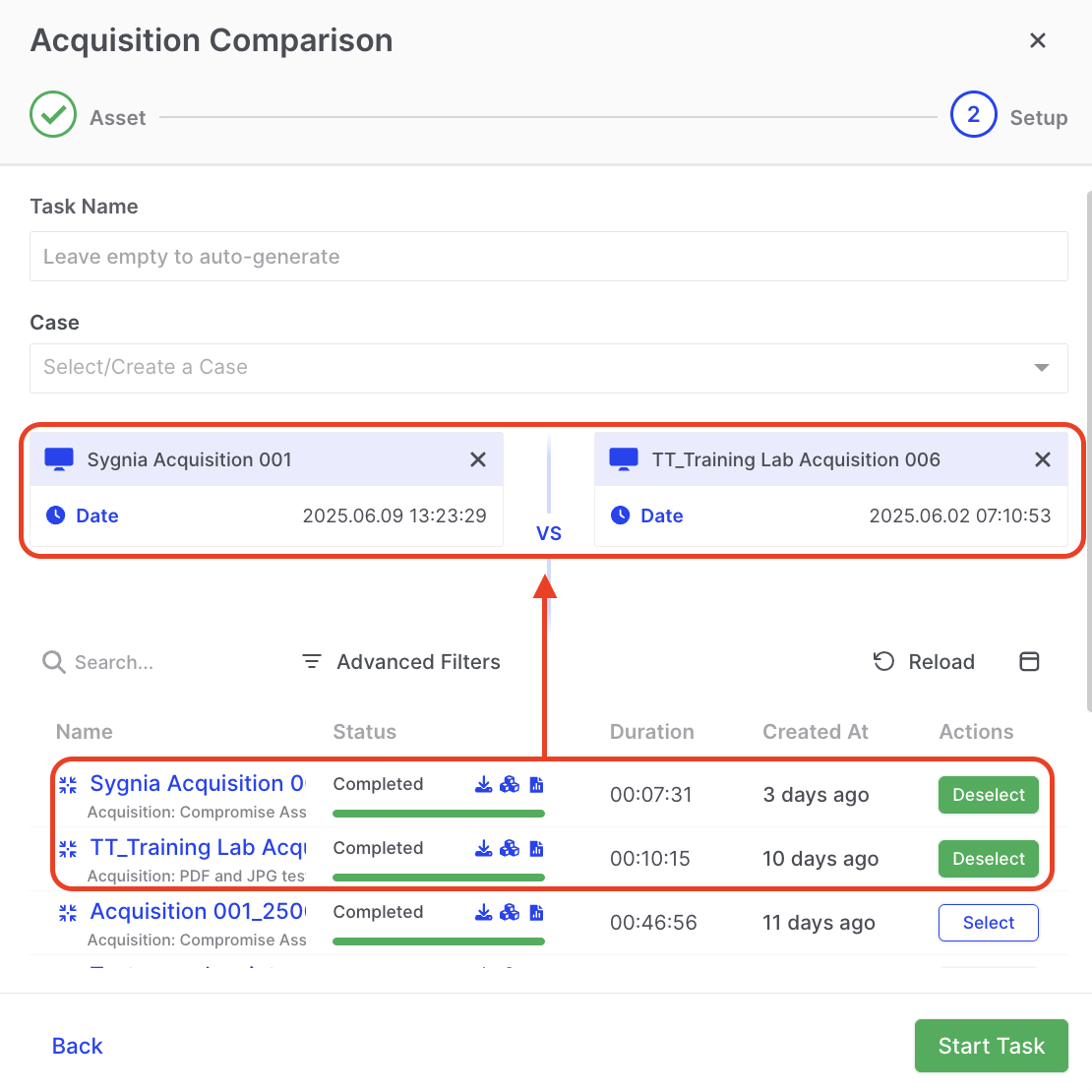
Compare: Selecting Acquisitions to Compare
-
Review the Results
- Once the task is complete, review the results DRONE report.
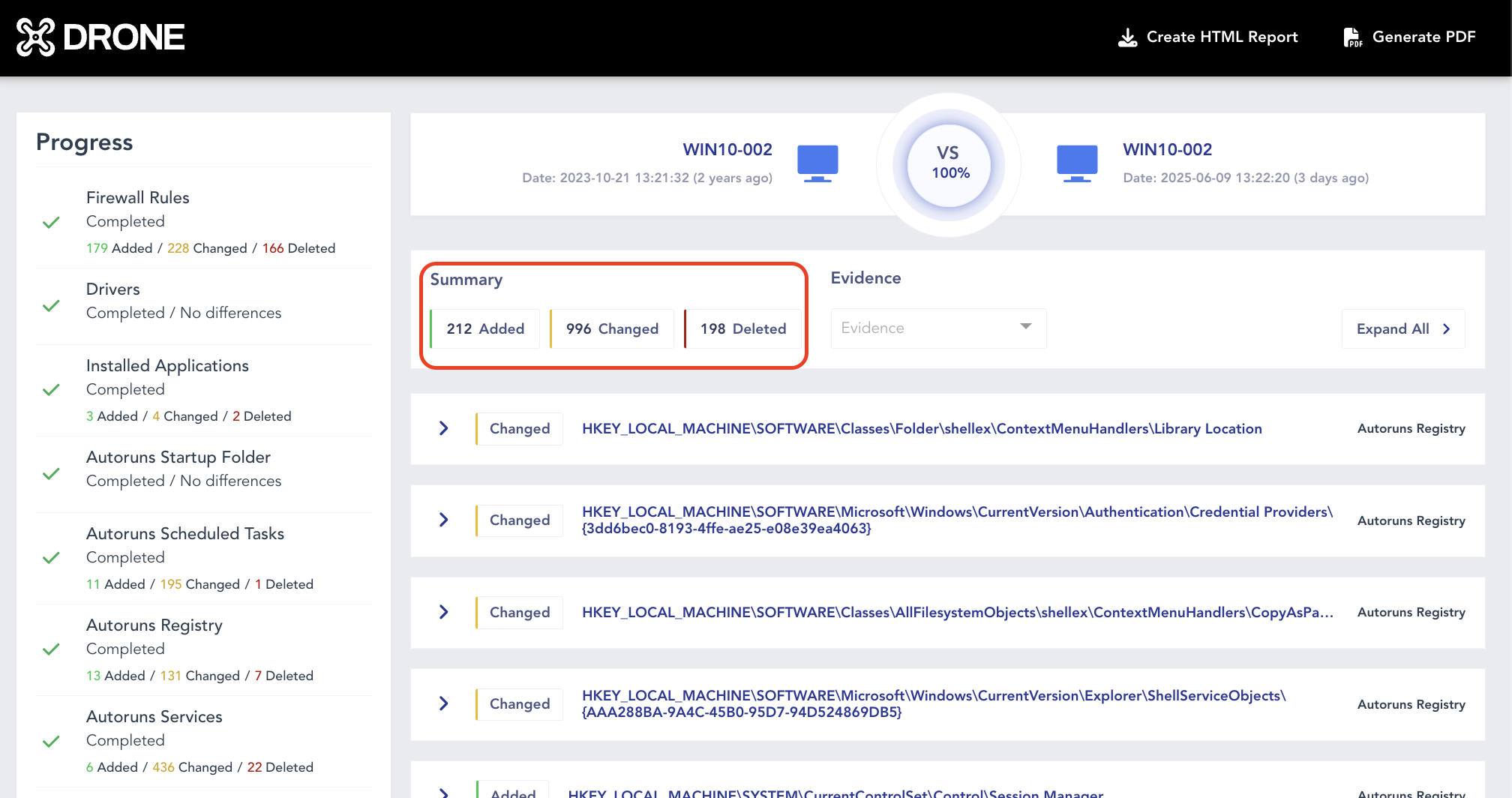
Compare: Reviewing Results
- Explore the fine-grained details on the property level.
Compare: Explore items Added, Changed, Deleted
-
Integrate with Investigations:
- Leverage the insights gained from the comparison analysis to compare and inform ongoing digital investigations.

By incorporating Baseline Analysis with Compare into the DFIR process, you empower your team with a proactive and efficient approach to identifying and mitigating potential security risks. This feature is a valuable asset in maintaining a robust cybersecurity posture.