

Console Audit Logs
Overview
Section titled “Overview”The Audit Log feature is designed to provide detailed and comprehensive logging information about all actions performed within the platform. This ensures a solid’ chain of custody’, transparency, and accountability, and it also supports investigations by maintaining a clear record of all activities.
The Audit Logs can be searched, filtered, and exported at the Organization level.
Audit Logs are accessed via the Activity button in the main menu and then from Audit Logs in the secondary menu:
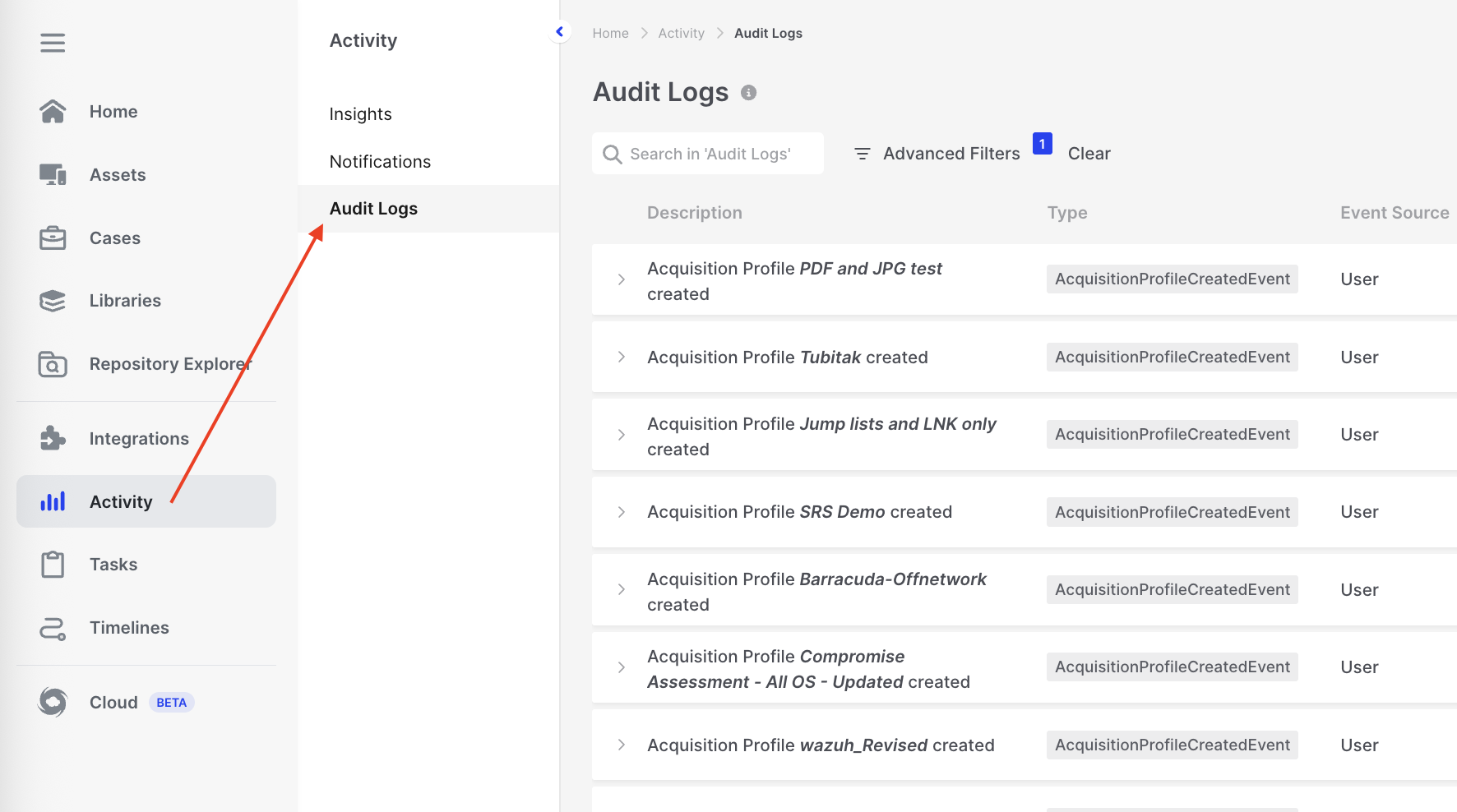
Console Audit Logs: Activity > Audit Logs
Each log entry can have additional properties to view, such as what individual interACT command was run and by whom:

Console Audit Logs: Expand log entry
Audit Log Retention
Section titled “Audit Log Retention”- Exporting Logs: As of version 4.19, when exporting audit logs from the console user interface, only logs from the last three months will be included in the export.
- This ensures that users will always have access to the most recent audit logs in the UI while maintaining the ‘historical logs’.
Information about the retention policy is displayed on the Audit logs page in the Tool Tip as shown below:
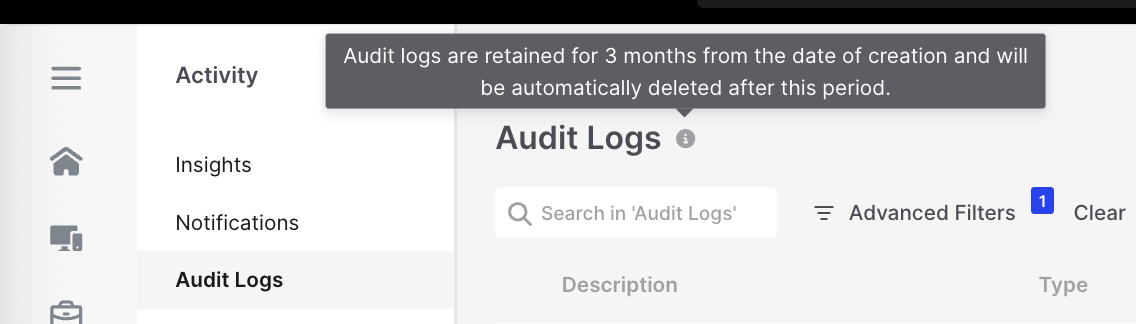
Console Audit Logs: Warning tooltip
This message says, “Audit logs are retained for 3 months from the date of creation and will be automatically deleted after this period.”
The Audit Log advanced filter date and time selection columns are limited to the last 3 months:
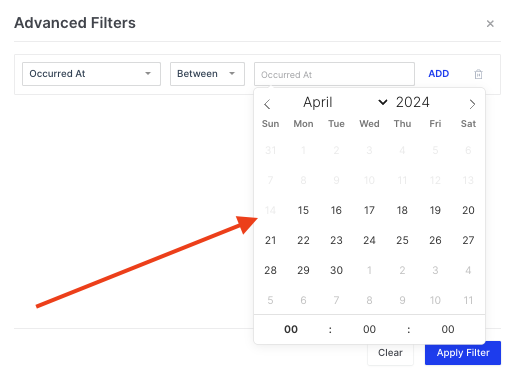
Console Audit Logs: Advanced filter
Audit Log Export
Section titled “Audit Log Export”There are three options to export your Audit Logs:
- Export Logs: Export the logs directly from the console’s Audit Log page.
- Send Logs to Syslog Server: Utilize the feature in settings to send logs to your Syslog Server.
- Use the API: Refer to our API documentation to retrieve Audit Logs.
See below:
At the Organization level, users can search and filter audit logs within the Console and easily export them in CSV format.
To do this, use the Export button located at the top right corner of the user interface. This action will generate a ZIP file containing the filtered audit logs in CSV format, making it convenient for further analysis and record-keeping:
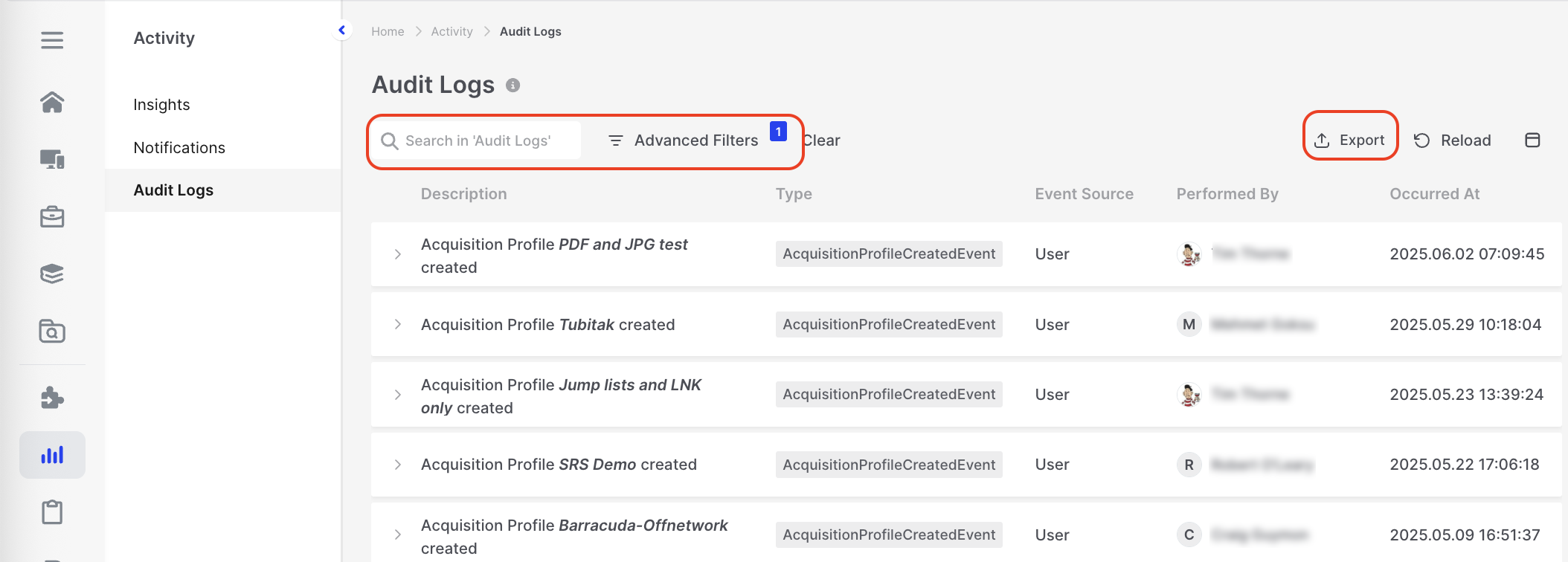
Console Audit Logs: Search, Advanced Filter, and Export options
Syslog/SIEM Integration
Section titled “Syslog/SIEM Integration”When Syslog / SIEM Integration is enabled under Settings > Features > Syslog / SIEM, events transmitted to your Syslog server or SIEM are sent as Common Event Format (CEF) messages.
Administrators can choose how much event data is streamed: send all events (default), include only selected event types, or exclude specified event types. This helps security operations teams keep SIEM feeds concise and actionable while still ensuring critical activities can be forwarded when your configuration requires it.
Analytics in the Console also surfaces adoption metrics for Syslog filtering, helping administrators review how the feature is used after configuration changes.
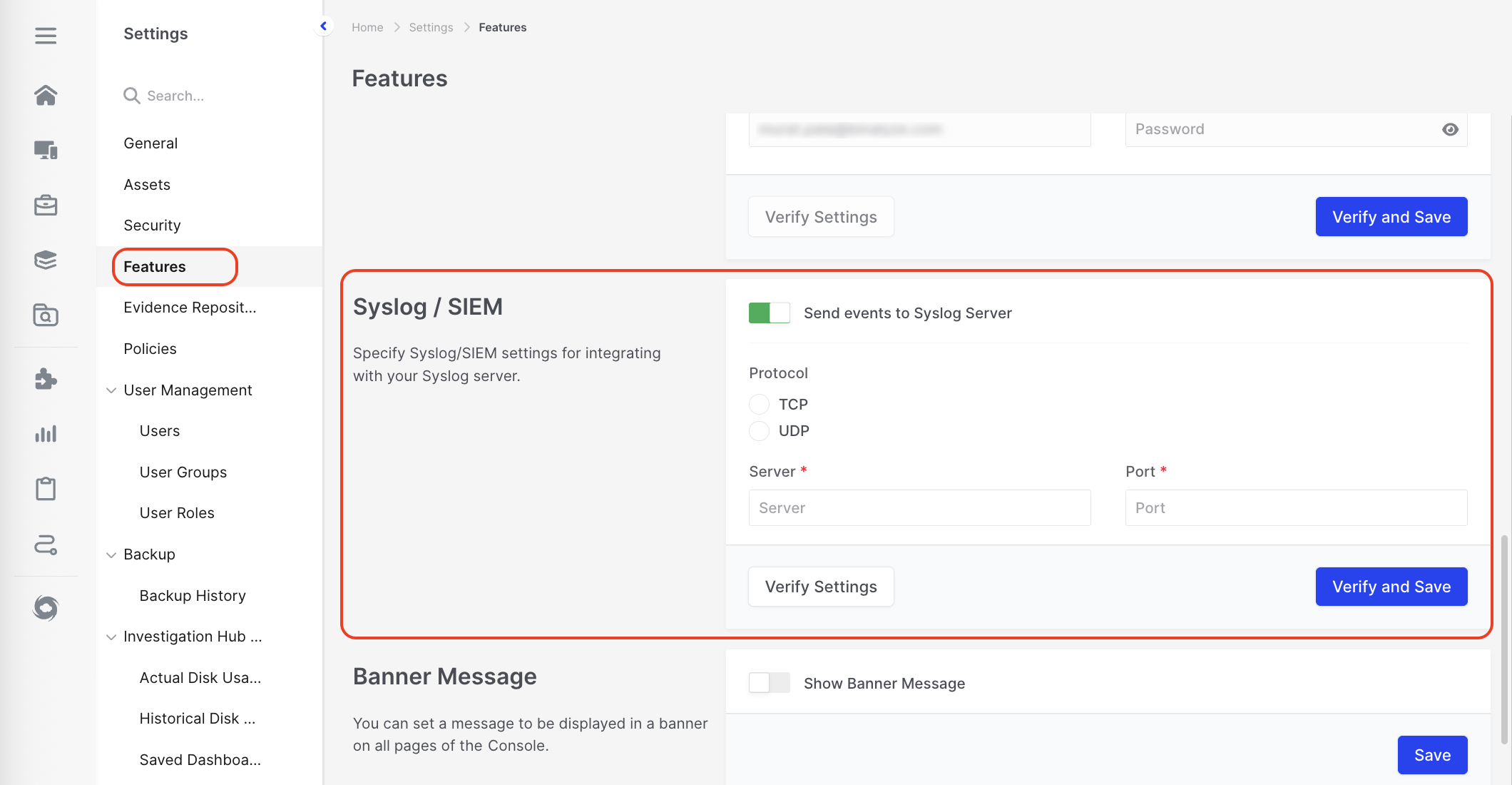
Console Audit Logs: Integrated with Syslog/SIEM